Career Advice
Get practical guidance on career growth, job search, interviews, CV improvement, and the next steps in your professional path.
What you'll gain
✓ Free consultation · Certificate on completion · Practical learning
Duration
2 months
Format
Offline
Starts
Oct 17, 2026
Certificate
On completion
Lessons
16 lessons
Price
65,000 AMD / month
Schedule
Admission to the course is based on a test.
The BDG ecosystem
At BDG, learning continues beyond lessons. You get access to guidance, community, events, spaces, and resources that support your professional growth.
Get practical guidance on career growth, job search, interviews, CV improvement, and the next steps in your professional path.
Learn how to present your skills, build professional visibility, and create a stronger personal brand in your field.
Join free webinars, seminars, and open sessions every month to keep learning, meet experts, and discover new opportunities.
Become part of a large professional community of students, graduates, trainers, and industry specialists.
Use BDG spaces for learning, networking, teamwork, and focused work when you need the right environment to grow.
Access useful books, materials, guides, and learning resources selected to support your development.
During the course, students will learn to combine AI with traditional design tools and turn ideas into practical visual assets.
By the end of the course, students will be able to:
Write effective prompts to achieve their intended visual results
Generate and edit images with AI
Develop a brand’s visual direction and identity
Design logos and finalize them in vector format
Refine AI-generated visuals in Photoshop
Create product visuals and mockups
Make simple GIFs
Build design systems and landing pages in Figma
Create workflows that bring AI and traditional design tools together
Students will leave with the skills to use AI confidently across their design projects.
Get 5% Cashback
Pay with  QR Code
Beginner and intermediate designers
Designers with some practical experience who know how to use Photoshop and Illustrator and want to develop their AI skills.
Senior designers
Experienced designers who have not yet made AI tools and techniques a regular part of their work and want to integrate them into their design process.
Create a brand brief, develop three concepts, and write clear prompts
Set up the available Figma and Higgsfield connectors and test them with a small task
Explore the available Photoshop and Illustrator features through the Adobe plugin, then continue the work in the relevant application
Prepare the project brief, a collection of references, and an initial visual direction
Define the brand’s audience, positioning, core message, and tone of voice
Use Claude to develop a moodboard direction, color palette, typography, and graphic motifs
Set up the available Claude–Higgsfield and Claude Code–Figma connections, exploring the difference between transferring text and editing directly
Create a one-page brand board and a short guide to maintaining a consistent visual style
Explore symbol, wordmark, and monogram concepts using a logo maker such as Looka and tools like Ideogram
Compare three directions based on recognizability, simplicity, and legibility at small sizes
Refine the chosen concept as a vector in Illustrator, adjusting its shapes, proportions, and letter spacing
Prepare primary, black-and-white, and small-format logo versions in SVG, PDF, and transparent PNG formats
Explore the image models available in Higgsfield, including Nano Banana, GPT Image, Soul, Seedream, FLUX, and others
Test the same brief with three models, comparing output quality, creative control, and credit costs
Transfer a prompt and reference developed in ChatGPT / GPT‑6 Astra to Higgsfield
Create the brand’s main advertising visual and select a model for the next stages of the project
Use a reference to create four images of the same product in different settings
Change the lighting, angle, background, and materials while preserving the product’s shape
lTest targeted edits and correct inconsistent details.
Produce a cohesive product image series for advertising and a landing page.
Develop three text-led poster concepts with clear messages.
Experiment with typographic styles, text placement, and color contrast.
Rebuild the text as editable layers in Photoshop or Figma and check the spelling.
Prepare a final poster and a version for social media.
Work with layers, masks, selections, Smart Objects, and adjustment layers.
Test Generative Fill, Generative Expand, and available partner models.
Correct AI artifacts, edges, lighting, colors, and shadows, and add the finalized logo accurately.
Deliver a layered PSD file and a finished advertising visual with a before-and-after comparison.
Create packaging, poster, and business card mockup scenes using Nano Banana or Higgsfield.
Place the finished designs in Photoshop using Smart Objects, Transform, Warp, and masks.
Match perspective, material texture, reflections, and shadows while keeping the logo and text accurate.
Prepare three presentation mockups and one reusable PSD template.
Use Claude to plan a six-frame storyboard featuring product and lifestyle scenes.
Create the visuals in Higgsfield and align their colors and style in Photoshop.
Assemble three posts and story versions in Figma with consistent logos, copy, and calls to action.
Produce a complete campaign, from initial concept to publication-ready assets.
Explore the available video models and test the same shot with two of them.
Develop a motion concept for a finished visual, with a beginning, action, and ending.
Test image-to-video generation, camera movement, and references while monitoring product consistency.
Create a 5–10-second branded video, subject to the selected model’s duration limits.
Create simple GIFs using text, a logo, a product, or existing visuals.
Work with basic transitions, frame order, and timing.
Produce one or two branded GIFs and export them in the appropriate format.
Use frames, layers, shapes, the Pen tool, boolean operations, masks, blend modes, and effects.
Build flexible layouts with grids, constraints, and nested Auto Layout.
Create components, variants, styles, and variables for brand colors, typography, and spacing.
Assemble a small UI kit and reusable social media templates.
Use Claude to prepare the landing page structure, copy, and component descriptions.
Test native canvas or code-to-canvas workflows through the Claude Code–Figma MCP connection, where available.
Apply available Figma AI features and organize the layers, Auto Layout, and components.
Produce an editable wireframe ready for detailed design.
Build the hero, benefits, product, trust, FAQ, and CTA sections.
Add the logo, AI-generated visuals, mockups, and brand copy.
Design desktop and mobile versions with clear visual hierarchy and consistent spacing.
Complete a landing page for the brand developed throughout the course.
Connect buttons, transitions, and overlays to create a clickable prototype.
Review the mobile page, longer copy, component states, and exported files.
Compile a concise brand guide covering logo versions, colors, typography, and examples of use.
Prepare a case study presenting the brief, design decisions, mockups, and final results.
Present the complete brand, including the logo, brand board, visual series, mockups, and social media assets.
Demonstrate the short motion piece, GIF, and desktop and mobile landing page prototype.
Make final revisions based on feedback and explain the choice of tools.
Submit organized PSD, AI/SVG, Figma, PNG/JPG, GIF, and MP4 files, along with a portfolio presentation.
Secure your place and take the next step in your professional growth.

Graphic Designer, Illustrator
Shushan Gevorgyan possesses over three years of expertise in the field of Graphic Design. Her professional journey has included roles at Koriz Marketing Agency and Indigo Branding...
Each course is labelled beginner, intermediate or advanced. If you are unsure, book a free consultation and we will help you choose.
Flexible payment options are available for most programs. Contact us to discuss the right plan for you.
We mostly hold trainings with a Project Based Learning approach. Thanks to this approach, the students gain practical knowledge and develop their proficiency in the most efficient way.
After each training the students pass exams. Thus, both students and trainers have the opportunity to clearly assess the effectiveness of the training. Based on the results of the exams the students get certificates.
Upon completion of the training we give certificates to our students. Moreover, those whose performance is above 80% receive certificates of excellence.
We have developed a partner network that includes current best employers. In cooperation with them we do our best to assist our students in finding jobs. This network also helps us to organise internships for our students after the trainings.
Payment for the courses is made after the first lesson until the second lesson, in cash or by transfer. Payment for each stage is made for a fixed amount of 8 lessons.
Our courses are held in 2 main formats: online and offline. We believe that maintaining the format is very important for the effectiveness of the course.
BDG classrooms are technically equipped, and if necessary, we also provide students with laptops.
There is a break during each course, during which you can have a coffee and tea break.
HR consulting is carried out with our Career Development Specialist. With him, you can discuss your CVs, make corrections and finalize them, ready to apply for jobs.
All course materials, including recordings, books provided by trainers and other educational materials, are constantly available to our students during the course.
Individual courses are not currently designed, based on market needs and demands. During group courses, participants are also actively involved in teamwork, develop their communication skills, and learn to work in a team.
There is no age limit as such, as we value the spread of education to all age groups. It is especially important for us that people who already have experience and knowledge and want to acquire a new profession also go into a new educational direction.
Admission to each course is carried out through an interview or a test, or both at the same time. The choice of admission method depends on the requirements and specifics of the course.
We provide technical support to all our students related to the operational work of computers, as well as technical issues. The support is provided by our employee within the framework of the course.
Our team is in constant contact with students to provide the information you need, if necessary.
Certificates
Depending on the course format and results, students can receive one of BDG's certificate types.
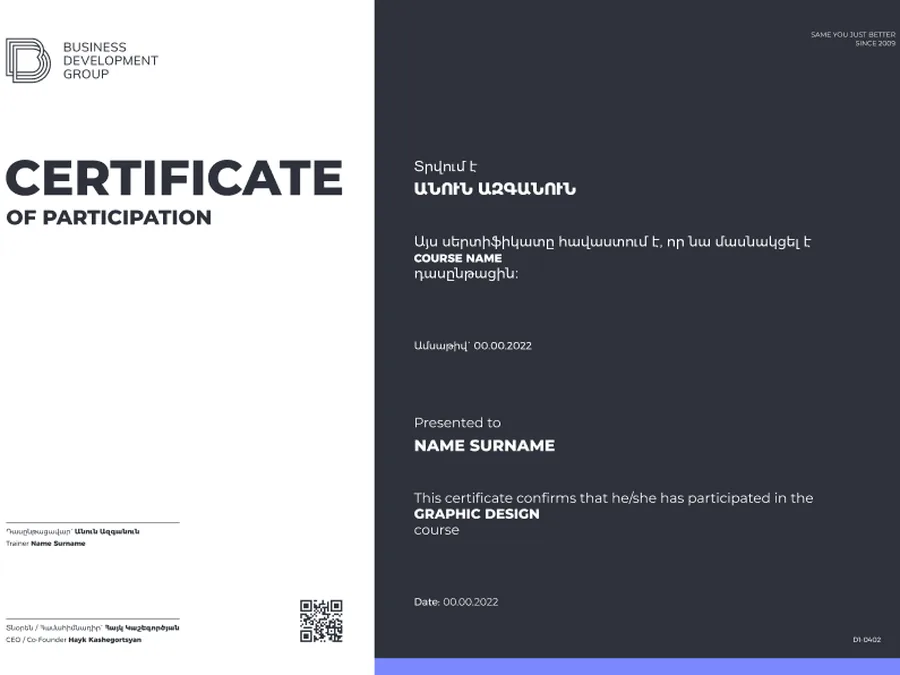
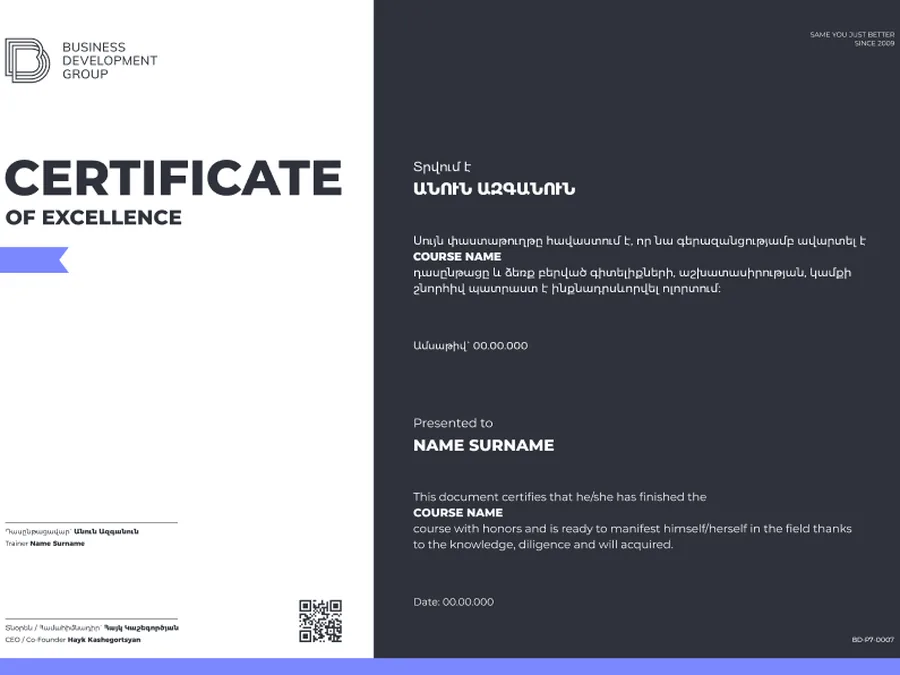
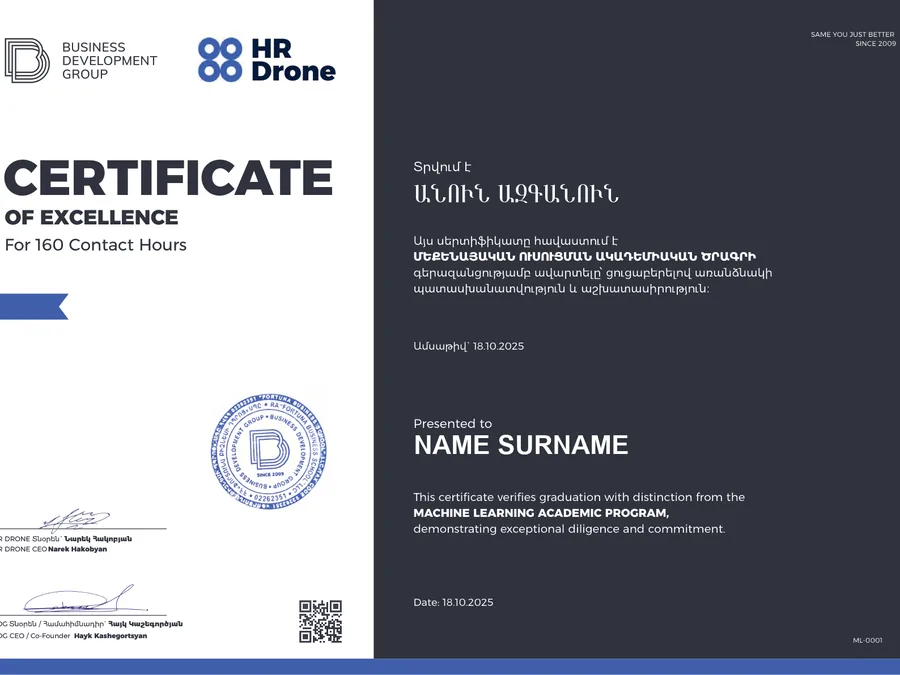 Co-branded
For students who actively participate in the course learning process.
For active participationFor students who complete the course requirements and finish the program.
For successful completionFor students who complete the course with outstanding results and strong performance.
With distinctionA co-branded certificate for selected HR and partner-certified programs.
Co-brandedDesign
Book a free consultation and reserve your place in the next cohort.
2 months · Starts — Oct 17, 2026
33% booked
Keep exploring
Internship opportunity
Internship opportunity