
Design
·Offline New
Design System Foundations AI Powered
- ✓ Design System Components
- ✓ Working with Variables
- ✓ Design Tokens in Figma
- ✓ Design Principles
Free consultation · Certificate on completion · Practical learning
Duration
2 months
Format
Offline
Starts
02.06.2026
Certificate
On completion
Payment
Monthly
Price
65,000 ֏
Program
- Definition of a Design system
- Design System vs UI Kit vs Style Guide
- Real-world examples
- Benefits of Design Systems
- The cost of NOT having a design system
- When NOT to use a design system
- Dispelling myths: “Systems kill creativity” and other misconceptions
- Anatomy of a design system: foundations, components, patterns, docs
- Systems thinking vs. screen thinking
- Design philosophy: the 5 core principles of this course
- Role of the design system in product lifecycle
- Collaboration model: designers ↔ developers ↔ product
- How AI tools are reshaping the designer's role, and why systems matter even more now?
- Frames vs. sections vs. groups. When to use each?
- Auto layout deep dive: fill, hug, fixed, spacing, padding
- Multi-edit: editing multiple components simultaneously
- Styles vs. Variables: the critical difference
- Variables: types, modes, scoping, collections
- Creating and naming local styles (color, text, effect)
- Intro to components: main component vs. instance
- Design direction: how to choose before building
- Brand alignment: extracting tokens from brand guidelines
- Design system inventory: auditing existing product UI
- Essential plugins overview
- Figma AI features
- Atomic Design methodology: atoms, molecules, organisms, templates, pages
- Mapping Atomic Design to Figma file structure
- Color roles: brand, neutral, semantic (success, warning, error, info)
- Primitive colors vs. semantic colors vs. component-level colors
- Color hierarchy: dominant / secondary / accent / neutral
- Accessibility: WCAG AA/AAA contrast ratios
- Dark mode considerations from day one
- Color tokens: naming structure and tiers
- Building a color scale (50–900)
- Figma Variables for color: collections, modes, scoping
- Common color system mistakes to avoid
- AI in Color Systems
- Type scale fundamentals: ratio-based vs. custom scales
- Typographic roles: display, heading, body, label, caption, code
- Visual hierarchy through type: size, weight, color, spacing
- Line height, letter spacing, paragraph spacing rules
- Font selection for design systems: readability over personality
- Responsive type: fluid vs. stepped scales
- Truncation
- System Vs Alternate Fonts
- Applying Font With Design Tokens
- AI in Typography Systems
- The 8-point grid system: why it works and how to apply it
- Spacing scale: 4, 8, 12, 16, 24, 32, 48, 64...
- Spacing tokens: semantic naming (space-xs, space-sm, space-md...)
- Grid types: columns, baseline, modular
- Breakpoints: mobile, tablet, desktop fundamentals
- Responsive containers: max-width, margins, gutters
- Figma layout grids and responsive frames
- Spacing discipline: when to break the grid (and when not to)
- AI in Spacing Systems
- Border radius as a personality signal: compact vs. friendly
- Radius scale and tokens
- Border styles: widths, colors, use cases
- Elevation model: shadows, layers, z-index logic
- Shadow tokens: 3–5 elevation levels maximum
- Icon Systems: grid, keyline, pixel-hinting, style consistency
- Illustration style: when, why, consistency rules
- Empty states: anatomy, purpose, best practices
- Image treatment: aspect ratios, object-fit, image tokens
- AI in Visual Systems
- What makes a good component: reusability, flexibility, constraint
- Main component vs. instance: rules and best practices
- Component variants: when to add one vs. when to refactor
- Component properties: boolean, instance swap, text, variant
- Nesting components: building molecules from atoms
- Component states: default, hover, active, focus, disabled, loading
- State management in Figma with variables and conditions
- Component API thinking: designing for the developer's perspective
- Start with basics: Button
- Button
- Button group
- Segmented Control
- Split Button
- Link
- Text Input
- Text Area
- Label
- Avatar
- Divider
- Checkbox
- Radio Button
- Toggle
- Tabs
- Slider (range input)
- Badge vs. Tag
- Notification (Toast/Snackbar)
- Progress indicators
- Stepper
- Spinner / Loader
- Skeleton loading
- Tooltip
- Popover
- Popover Confirm
- Popover Educational
- Modal
- Sheet (Drawer)
- Accordion
- Focus: Z-index strategies, animation, focus traps, keyboard navigation
- Navigation
- Breadcrumbs
- Select
- Dropdown
- Menu
- Accordion
- Cards
- List
- Data Table
- Pagination
- Date and Time Picker
- Empty states, error states, loading states
- Performance impact of heavy components
- AI tools for designers
- Designing AI product UI
- The Evolving Role of Designers in AI Products
- Q&A
- What is great design system documentation?
- Writing documentation people actually read
- Templates for component pages
- Choosing the right tools (Notion, Zeroheight, Storybook, etc.)
- Voice and tone for documentation
- AI-Assisted Documentation
- Each participant/team presents their system:
- Foundations
- Components
- Documentation
- Pilot rollout or concept
- Peer review and feedback
- Final Q&A, reflection, and discussion of next steps
Why Join the Course?
Why participate in the course?
A course for all those who have basic knowledge of UX and want to gain a solid understanding of design systems. During the course, students will learn about design components, tokens, and many other related topics. By the end of the course, students will have a strengthened understanding of design systems, as well as knowledge about various design components related to structure, application, and behavior. Since the class will be practical, students will complete a comprehensive case study on a design system they have worked on, which will become a key component of their portfolio. Students will also have the opportunity to reinforce their knowledge of the Figma tool, as they will be working with Figma throughout the course.Get 5% Cashback
Pay with  QR Code
- 1 Pay the tuition by bank transfer in your own name.
- 2 Receive the electronic settlement document confirming the payment.
- 3 File your annual income declaration and include the tuition expense.
- 4 Once approved, the amount is refunded to your bank account.
Who is this course for
-
✓
For Beginners
For beginners with a basic understanding of UX who want to deepen their knowledge and become in-demand professionals. Or for professionals who are the sole designers in their company and wish to improve the quality of their company’s design and processes.
-
✓
For Intermediate professionals
For the specialists that already have some knowledge and want to develop their skills and knowledge.
What you will learn
- ✓Design System Components
- ✓Working with Variables
- ✓Design Tokens in Figma
- ✓Design Principles
- ✓Figma Expertise
Ready to join this course?
Secure your place and take the next step in your professional growth.
Frequently asked questions
Each course is labelled beginner, intermediate or advanced. If you are unsure, book a free consultation and we will help you choose.
Flexible payment options are available for most programs. Contact us to discuss the right plan for you.
We mostly hold trainings with a Project Based Learning approach. Thanks to this approach, the students gain practical knowledge and develop their proficiency in the most efficient way.
After each training the students pass exams. Thus, both students and trainers have the opportunity to clearly assess the effectiveness of the training. Based on the results of the exams the students get certificates.
Upon completion of the training we give certificates to our students. Moreover, those whose performance is above 80% receive certificates of excellence.
We have developed a partner network that includes current best employers. In cooperation with them we do our best to assist our students in finding jobs. This network also helps us to organise internships for our students after the trainings.
Payment for the courses is made after the first lesson until the second lesson, in cash or by transfer. Payment for each stage is made for a fixed amount of 8 lessons.
Our courses are held in 2 main formats: online and offline. We believe that maintaining the format is very important for the effectiveness of the course.
BDG classrooms are technically equipped, and if necessary, we also provide students with laptops.
There is a break during each course, during which you can have a coffee and tea break.
HR consulting is carried out with our Career Development Specialist. With him, you can discuss your CVs, make corrections and finalize them, ready to apply for jobs.
All course materials, including recordings, books provided by trainers and other educational materials, are constantly available to our students during the course.
Individual courses are not currently designed, based on market needs and demands. During group courses, participants are also actively involved in teamwork, develop their communication skills, and learn to work in a team.
There is no age limit as such, as we value the spread of education to all age groups. It is especially important for us that people who already have experience and knowledge and want to acquire a new profession also go into a new educational direction.
Admission to each course is carried out through an interview or a test, or both at the same time. The choice of admission method depends on the requirements and specifics of the course.
We provide technical support to all our students related to the operational work of computers, as well as technical issues. The support is provided by our employee within the framework of the course.
Our team is in constant contact with students to provide the information you need, if necessary.
Certificates
Certificates you can receive
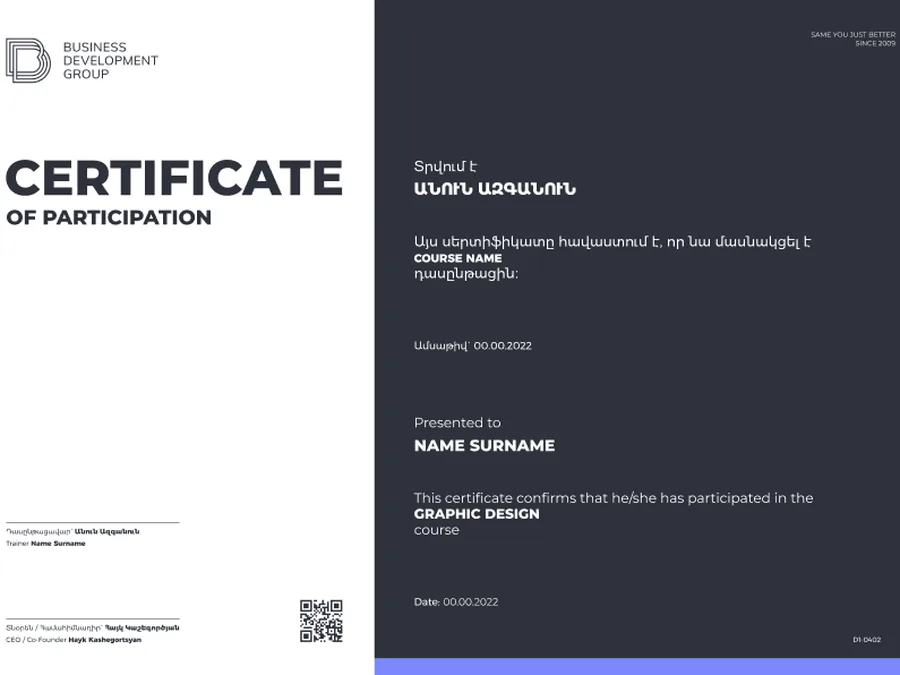
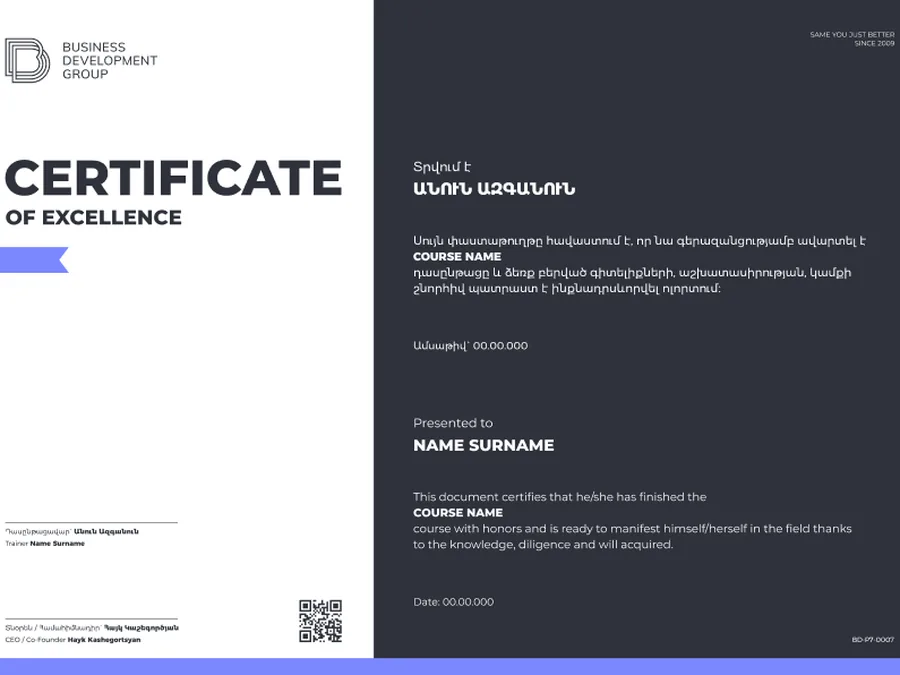
Depending on the course format and results, students can receive one of BDG's certificate types.
- ✓ Verified BDG certificate
- ✓ QR / signature-ready format
- ✓ Armenian & English certificate design
 Co-branded
Participation
For students who actively participate in the course learning process.
For active participationCompletion
For students who complete the course requirements and finish the program.
For successful completionExcellence
For students who complete the course with outstanding results and strong performance.
With distinctionHR Drone
A co-branded certificate for selected HR and partner-certified programs.
Co-brandedDesign
Ready to start Design System Foundations AI Powered?
Book a free consultation and reserve your place in the next cohort.
65,000 ֏
2 months · Starts — June 02, 2026
Keep exploring
Related courses