
Career Advice
Get practical guidance on career growth, job search, interviews, CV improvement, and the next steps in your professional path.
Free consultation · Certificate on completion · Practical learning
Duration
5 weeks
Format
Online
Level
Beginner
Starts
07.09.2026
Certificate
On completion
Lessons
11 lessons
Price
39,000 ֏ · full course
Schedule
At BDG, learning continues beyond lessons. You get access to guidance, community, events, spaces, and resources that support your professional growth.
Get practical guidance on career growth, job search, interviews, CV improvement, and the next steps in your professional path.
Learn how to present your skills, build professional visibility, and create a stronger personal brand in your field.
Join free webinars, seminars, and open sessions every month to keep learning, meet experts, and discover new opportunities.
Become part of a large professional community of students, graduates, trainers, and industry specialists.
Use BDG spaces for learning, networking, teamwork, and focused work when you need the right environment to grow.
Access useful books, materials, guides, and learning resources selected to support your development.
Why take the “MS Excel Full Course”?
Microsoft Excel is an indispensable tool for solving lots of challenges across various fields such as finance, sales, marketing, administration, technical roles, engineering, programming, and data analysis. This software proficiency is also deemed a fundamental skill by employers across diverse positions.
Our comprehensive “MS Excel Full Course” is designed to take learners from the basics to advanced functionalities, catering to the needs of professionals seeking to enhance their Excel skills. Starting with foundational capabilities, the course progresses to delve into intricate topics, including functions, Pivot Table, Smart Table, data manipulation, and the application of Power Queries.
Each class incorporates hands-on practical exercises, providing participants with the opportunity to apply acquired knowledge to real-life problem-solving scenarios.
By the end of the course, participants will be equipped to
Confidently use Excel to solve everyday problems, create tables and diagrams, make calculations;
Apply functions for more complex operations;
Work with Pivot Table and Smart Table;
Use Queries in working with databases.
Get 5% Cashback
Pay with easywallet QR Code
Beginners
If you need proficiency in Excel for your job but have yet to acquaint yourself with its functionalities, then this course is tailored for you. Geared towards beginners, we start the course from the foundational level, making it accessible to those with little to no prior experience using Excel.
Professionals in Other Fields
This course caters to professionals across diverse domains who routinely leverage Excel to address a range of challenges and are eager to hone their skills, particularly delving into the more advanced features of the software.
Secure your place and take the next step in your professional growth.

Business and Financial Analyst
Ani Harutyunyan is a financial specialist-economist by profession. She worked as an economist, accountant, and senior accountant for more than 10 years. Currently works at Digitain...
Each course is labelled beginner, intermediate or advanced. If you are unsure, book a free consultation and we will help you choose.
Flexible payment options are available for most programs. Contact us to discuss the right plan for you.
We mostly hold trainings with a Project Based Learning approach. Thanks to this approach, the students gain practical knowledge and develop their proficiency in the most efficient way.
After each training the students pass exams. Thus, both students and trainers have the opportunity to clearly assess the effectiveness of the training. Based on the results of the exams the students get certificates.
Upon completion of the training we give certificates to our students. Moreover, those whose performance is above 80% receive certificates of excellence.
We have developed a partner network that includes current best employers. In cooperation with them we do our best to assist our students in finding jobs. This network also helps us to organise internships for our students after the trainings.
Payment for the courses is made after the first lesson until the second lesson, in cash or by transfer. Payment for each stage is made for a fixed amount of 8 lessons.
Our courses are held in 2 main formats: online and offline. We believe that maintaining the format is very important for the effectiveness of the course.
BDG classrooms are technically equipped, and if necessary, we also provide students with laptops.
There is a break during each course, during which you can have a coffee and tea break.
HR consulting is carried out with our Career Development Specialist. With him, you can discuss your CVs, make corrections and finalize them, ready to apply for jobs.
All course materials, including recordings, books provided by trainers and other educational materials, are constantly available to our students during the course.
Individual courses are not currently designed, based on market needs and demands. During group courses, participants are also actively involved in teamwork, develop their communication skills, and learn to work in a team.
There is no age limit as such, as we value the spread of education to all age groups. It is especially important for us that people who already have experience and knowledge and want to acquire a new profession also go into a new educational direction.
Admission to each course is carried out through an interview or a test, or both at the same time. The choice of admission method depends on the requirements and specifics of the course.
We provide technical support to all our students related to the operational work of computers, as well as technical issues. The support is provided by our employee within the framework of the course.
Our team is in constant contact with students to provide the information you need, if necessary.
Certificates
Depending on the course format and results, students can receive one of BDG's certificate types.

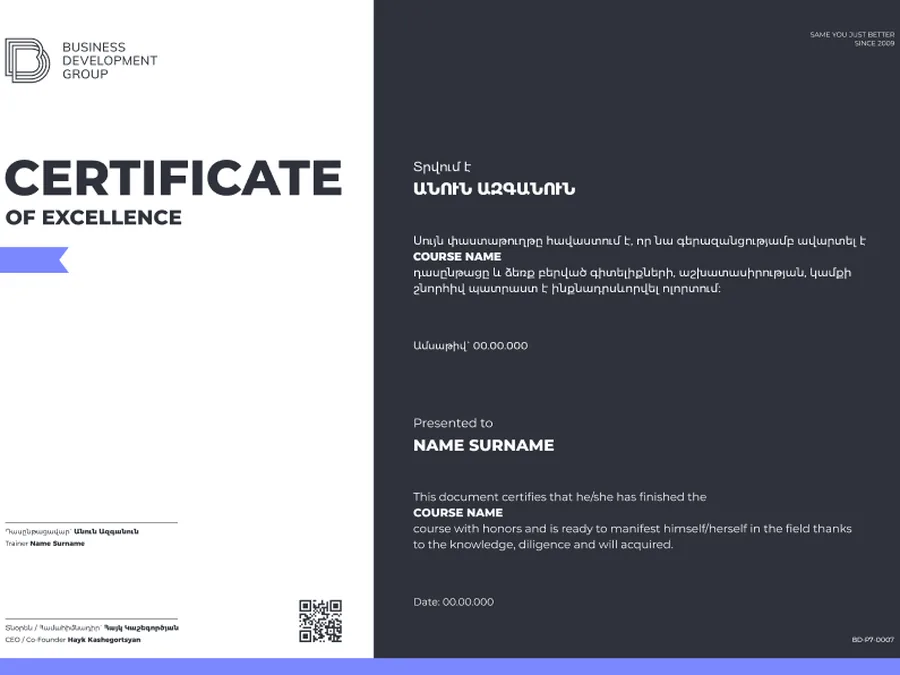
 Co-branded
For students who actively participate in the course learning process.
For active participationFor students who complete the course requirements and finish the program.
For successful completionFor students who complete the course with outstanding results and strong performance.
With distinctionA co-branded certificate for selected HR and partner-certified programs.
Co-brandedFinance and Accounting
Book a free consultation and reserve your place in the next cohort.
5 weeks · Starts — September 07, 2026
93% booked
Keep exploring