Career Advice
Get practical guidance on career growth, job search, interviews, CV improvement, and the next steps in your professional path.
Free consultation · Certificate on completion · Practical learning
Duration
5 months
Format
Offline
Level
Beginner
Starts
16.11.2026
Certificate
On completion
Lessons
45 lessons
Price
69,000 ֏ / month
Schedule
Admission to the course is based on an interview and a test.
At BDG, learning continues beyond lessons. You get access to guidance, community, events, spaces, and resources that support your professional growth.
Get practical guidance on career growth, job search, interviews, CV improvement, and the next steps in your professional path.
Learn how to present your skills, build professional visibility, and create a stronger personal brand in your field.
Join free webinars, seminars, and open sessions every month to keep learning, meet experts, and discover new opportunities.
Become part of a large professional community of students, graduates, trainers, and industry specialists.
Use BDG spaces for learning, networking, teamwork, and focused work when you need the right environment to grow.
Access useful books, materials, guides, and learning resources selected to support your development.
Data analytics is applied in many fields of any business that has data. It empowers companies to make efficient decisions regarding their strategy and tactics, analyzing market demand, customers, competitors, and other available data.
The course is designed for complete training in data analysis, during which you will learn for 5 months how to collect and analyze data, as well as how to automate these processes.
The course is based on practical projects, which you will carry out with specialists with many years of experience in the fields of finance, economics, and tech industry.
The "Data Analytics Full Course" helps also to develop your analytical and mathematical skills,
At the end of the course, you will acquire data analysis, collection, and evaluation skills, and master the necessary tools (Excel, SQL, Power BI, Tableau, Python, etc.), to start your career as a junior Data analyst.
Get 5% Cashback
Pay with easywallet QR Code
Beginners
If you have a career in finance, IT, or related fields and are interested in data collection and analysis, the course is a great start to a new, modern, and in-demand career. It will help you master the complete skills to start your first job in this field in just 5 months.
Specialists from other industries
The course content is adapted to start from scratch and develop your skills during the course. So, if you have a different profession or job, but think about starting a career in Data analytics, this course is a good choice for you.
Course Introduction
Calculations in Excel, Mathematical operators
Relative and absolute references
Naming cells and selected ranges and using them in formulas
Clipboard / Types of Paste Special
Sorting and Filtering Tables: Sort/Filter
Find and Replace
Conditional Formatting
Protection of workbooks, sheets, and cells
Advanced Filter
Data Tools-Text to Columns, Flash Fill, Data Validation, Remove Duplicates, Consolidate
Grouping and Ungrouping data
Subtotal tool
Most frequently used functions-Text Functions, Date and Time Functions, Statistical Functions, Mathematical Functions
Assigning practical problems, solution checks
Most frequently used functions-Logical Functions, Lookup and Reference Functions, Information Functions
Using functions in Conditional Formattind and Data Validation
Assigning practical problems, solution checks
Analytic functions & tools: Autofill, Autocorrect
Text & Math functions
Practical problems
Data modelling
Scenario analysis
Uncertainty & Risk, Portfolio risk, Quantitative risk management
Probabilities in action: Calculating an Optimal Bid
Excel exam
What is a Database? Definition, Meaning, Types, Example
Describing the fundamental building blocks: tables, columns, primary keys, and foreign keys
Relational Databases and SQL
Basic Data Types of SQL
Numeric
Character
Boolean
Datetime
Learn to write common SQL commands including SELECT and FROM
Retrieving data with SELECT
Specifying column expressions
Sorting the result with ORDER BY - DESC ,ASC Query with EXAMPLE
Handling NULL values in expressions
Restricting rows with the WHERE filter AND, OR, IN, NOT IN Query
Testing for equality or inequality
Applying wildcard characters — Like, NOT Like, Escape, ( % ), ( _ )
Avoiding NULL value pitfalls - IS NULL , IS NOT NULL
LIMIT , OFFSET — Learn with Example
Introduction to single row functions
Character Functions
Numeric Functions
Conversion Functions
Date Functions
Conditional formatting with the CASE expression
Utilizing the CASE expression to simulate IF tests
Date Functions
Utilizing the CASE expression to simulate IF tests
Building the Database Schema and SQL Basics
Building tables with CREATE TABLE
Modifying table structure with ALTER TABLE
Adding columns to an existing table
Removing tables with DROP TABLE
Protecting data integrity with constraints
Guaranteeing uniqueness with primary key constraints
Enforcing integrity with foreign key constraints
Improving performance with indexes
Manipulating Data
Adding table rows with INSERT
Changing row content with UPDATE
Removing rows with DELETE
Controlling transactions with COMMIT and ROLLBACK
Learn to write INNER JOINs to combine data from multiple tables
Learn to write LEFT JOINs and RIGHT JOINs to combine data from multiple tables
Creating a Cartesian product with CROSS JOIN
Stacking results with UNION
Identifying matching rows with INTERSECT
Utilizing MINUS to find non matching rows
Testing the existence of rows
Placing subqueries in the column list
Creating complex expressions containing subqueries
Selecting data from a query result set
Using subqueries in the FROM clause
Summarizing data using SUM, AVG and COUNT
Finding the highest/lowest values with MAX and MIN
Defining the summary level with GROUP BY
Applying filter conditions with HAVING
Introduction to Analytic functions
Syntax for Analytic functions
the Partition Clause
Order By Clause
Row number Functions
Rank Function
Dense_rank Function
Lag Function
ListAgg Function
Lead Function
First and Last Functions
SQL exam
Introduction
Downloading Power BI & adjusting settings
Exploring the Power BI Desktop interface & workflow
Helpful Power BI resources
Connecting and Shaping Data with Power BI Desktop
Connect to data sources
Types of data connectors in Power BI Desktop
Change the data source settings
The Power BI Query editor (aka Power Query)
Basic table transformations in Power BI
Working with text tools
Working with numerical values
Working with date & time tools
Shape and transform tables
User-friendly naming conventions
Resolving inconsistencies & nulls
Evaluate and transform column data types
Append queries
Merge queries and expand table
Merge queries with group by, and different types of joins"
Pivot & Unpivot
Conditional columns
Columns from examples
Transpose
Data profiling
Resolve data import errors
Files from folders
Data loading with parameters
What is a “Data Model”?
Principles of data normalization
Understanding data tables vs. lookup tables
Creating table relationships in Power BI Desktop
Design a data model that uses a “Star” schema
""Snowflake"" schemas in Power BI
Managing & editing table relationships in Power BI Desktop
Managing active vs. inactive relationships
Understanding relationship cardinality
Understanding filter flow
Two-way filters in Power BI Desktop (USE WITH CAUTION!)
Hiding fields from the Power BI report view
Table and column properties
Common date table (using DAX and Power Query)
Hierarchies and data granularity
Role playing dimensions
Power BI data model best practices
Intro to Data Analysis Expressions (DAX)
Intro to DAX calculated columns
Basic operators
IF, BLANK and ISBLANK
AND, OR and NOT
SWITCH
Measures -an introduction, with standard aggregations including COUNTBLANK
Aggregation of calculations
Other statistical functions
Rounding functions
Division functions - MOD and QUOTIENT
SIGN (and use with SWITCH) and ABS
COUNT functions (COUNTA, DISTINCTCOUNT, COUNTROWS), exponential function
Text searching
Text extraction and substitution
Text conversion
Other text functions
ISERROR and LOOKUPVALUE
Other information functions
RELATED - Flatten out a parent-child hierarchy
RELATEDTABLE and COUNTROWS
ALL, FILTER, CALCULATE, ALLEXCEPT, ALLSELECTED
Date and time functions, FIRSTDATE, LASTDATE
Start of... and End of..., Previous... and Next...
DATESINPERIOD, DATESMTD, DATESQTD, DATESYTD, TOTALMTD, TOTALQTD, TOTALYTD
Opening Balance and Closing Balance
Semi-additive measures
SAMEPERIODLASTYEAR and PARALLELPERIOD
Other Time Intelligence Functions
Quick measures
Exploring the “Report” view in Power BI Desktop
Table and matrix
Column charts, line charts and area charts
Combo charts and treemaps
Card, multi-row card, and gauge visual
Pie chart, donut chart and funnel
Scatter chart, waterfall chart and maps
Customize and configure visuals
Custom tool tips
Configure report page
Conditional formatting
Applying slicing and filtering
Sorting
Synch slicers
Using themes
Bookmarks
Page navigation
Edit interactions
Analyze feature, Identify outliers
Create groups, bins and clusters
Analytics pane, Forecast feature
Logging into Power BI Service and a quick look around
Power BI terminology
Datasets and Reports in Power BI Service
Publish reports and export data
Create a workplace
Manage tiles in a dashboard
Analyze in Excel feature
Introduction to Tableau. Understanding Tableau Concepts
Connect to data sources
Prepare data for analysis
Customize fields
Understand dimensions and measures
Understand discrete and continuous fields
Understand aggregations
Create basic charts
Create and use filters
Create parameters to enable interactivity
Create calculated fields
Create table calculations
Structure the data
Map data geographically
Create dashboards and stories
Summarize, model, and customize data by using the Analytics feature
Power BI exam
Intro to programming, Python Interpreters
Syntax
Variables & Data Types (Strings, Numbers)
Strings , Numbers, Booleans
Getting Input from Users
Type Conversion
Tuples
Lists
Lists
==' vs is
Copy vs =
Sets
If Statement
Dictionaries
While loop
Task scheduling and .py files
For Loop
Functions
Return statement
Built-in packages (random, os, request, math)
Error handling (Try / Except)
Data frames
Reading df-s from different sources
Loc,iloc
Concat
Renaming columns
Filtering, and sorting
Adding/removing columns
Conditional changes
Join, merge, append
Apply functions
Replace values
Working with NA-s
Casting datatypes
Time series
Aggregation
Line plot
Bar chart
Pie chart
Histogram
Python exam
Secure your place and take the next step in your professional growth.

Data Engineer
Andranik Silanyan has been working in the IT field for more than 15 years in analysis, design, and business application development teams as a Database Developer.

Head of Data
Hayk Ghalechyan has 12+ years of experience in data analysis in various fields. He has published 8 scientific articles in the fields of economics and management. At BDG, he conduct...

Data Analyst
Has 2+ years of working and training experience. Proficient in Python libraries (NumPy, Pandas, Keras, SciKit-Learn, TensorFlow, Matplotlib, Seaborn).

Business and Financial Analyst
Ani Harutyunyan is a financial specialist-economist by profession. She worked as an economist, accountant, and senior accountant for more than 10 years. Currently works at Digitain...

Financial Specialist, Accountant, Advanced Excel and Data Analytics Trainer
Armen Petrosyan has 12+ years of experience in the financial sector. He is the co-founder of the Excelist club and the founder of the "Data Analysis & Business Modeling in Exce...
Each course is labelled beginner, intermediate or advanced. If you are unsure, book a free consultation and we will help you choose.
Flexible payment options are available for most programs. Contact us to discuss the right plan for you.
We mostly hold trainings with a Project Based Learning approach. Thanks to this approach, the students gain practical knowledge and develop their proficiency in the most efficient way.
After each training the students pass exams. Thus, both students and trainers have the opportunity to clearly assess the effectiveness of the training. Based on the results of the exams the students get certificates.
Upon completion of the training we give certificates to our students. Moreover, those whose performance is above 80% receive certificates of excellence.
We have developed a partner network that includes current best employers. In cooperation with them we do our best to assist our students in finding jobs. This network also helps us to organise internships for our students after the trainings.
Payment for the courses is made after the first lesson until the second lesson, in cash or by transfer. Payment for each stage is made for a fixed amount of 8 lessons.
Our courses are held in 2 main formats: online and offline. We believe that maintaining the format is very important for the effectiveness of the course.
BDG classrooms are technically equipped, and if necessary, we also provide students with laptops.
There is a break during each course, during which you can have a coffee and tea break.
HR consulting is carried out with our Career Development Specialist. With him, you can discuss your CVs, make corrections and finalize them, ready to apply for jobs.
All course materials, including recordings, books provided by trainers and other educational materials, are constantly available to our students during the course.
Individual courses are not currently designed, based on market needs and demands. During group courses, participants are also actively involved in teamwork, develop their communication skills, and learn to work in a team.
There is no age limit as such, as we value the spread of education to all age groups. It is especially important for us that people who already have experience and knowledge and want to acquire a new profession also go into a new educational direction.
Admission to each course is carried out through an interview or a test, or both at the same time. The choice of admission method depends on the requirements and specifics of the course.
We provide technical support to all our students related to the operational work of computers, as well as technical issues. The support is provided by our employee within the framework of the course.
Our team is in constant contact with students to provide the information you need, if necessary.
Certificates
Depending on the course format and results, students can receive one of BDG's certificate types.
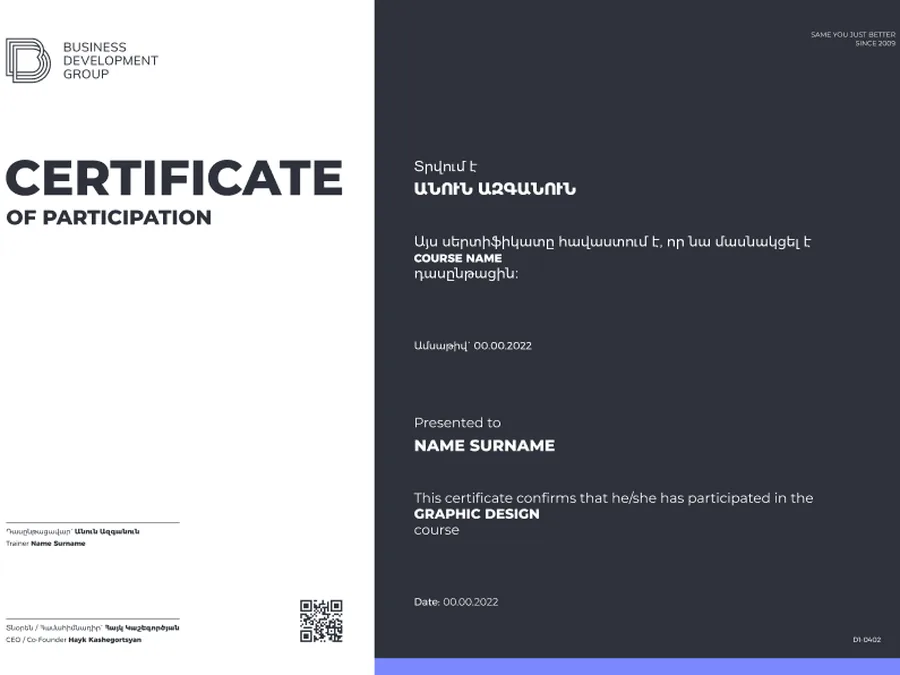
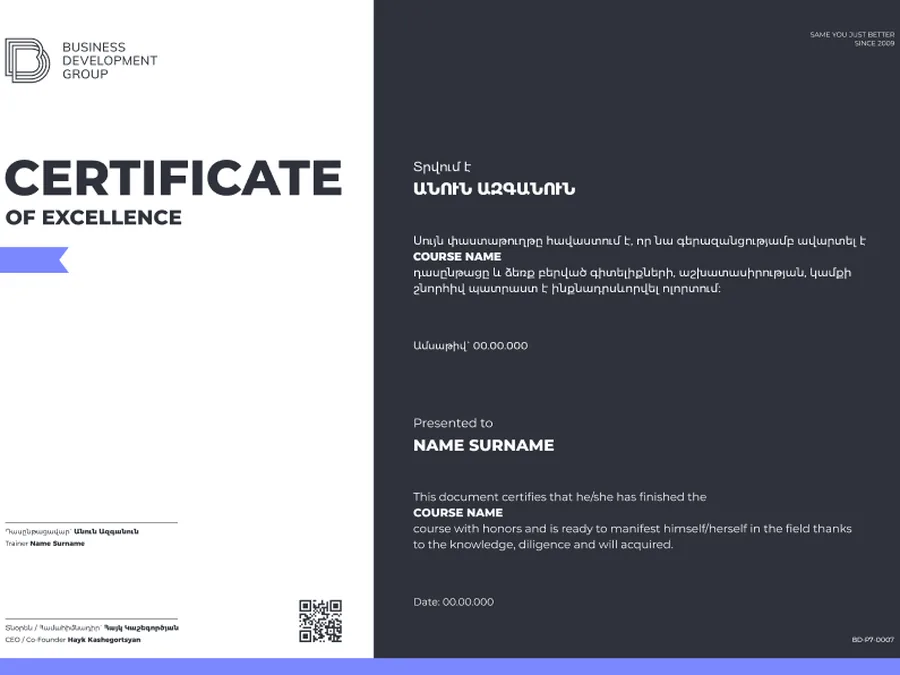
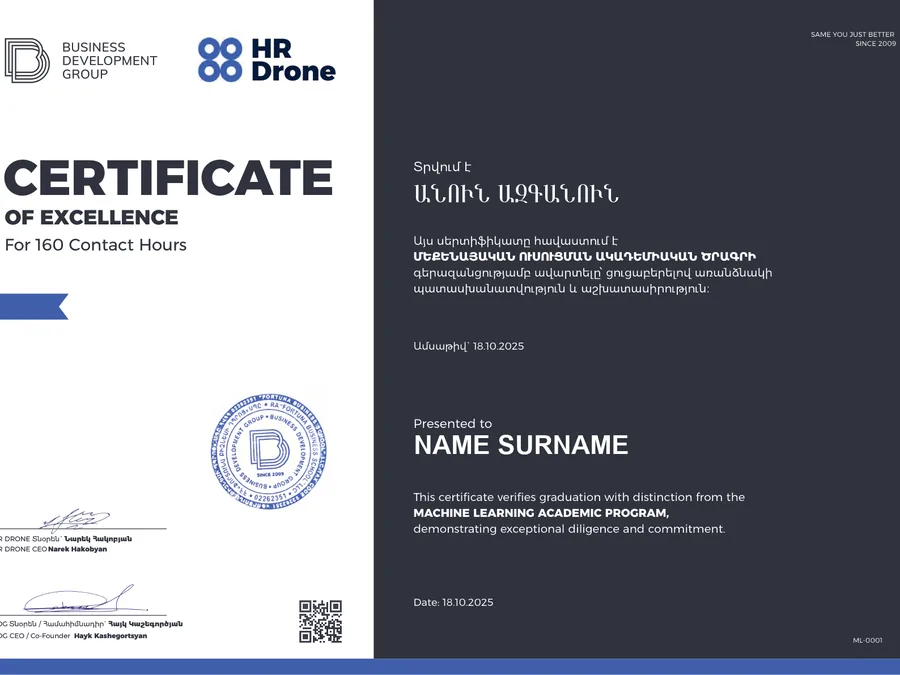 Co-branded
For students who actively participate in the course learning process.
For active participationFor students who complete the course requirements and finish the program.
For successful completionFor students who complete the course with outstanding results and strong performance.
With distinctionA co-branded certificate for selected HR and partner-certified programs.
Co-brandedData Science
Book a free consultation and reserve your place in the next cohort.
5 months · Starts — November 16, 2026
100% booked
Keep exploring